
Right then
1.5 is out. If Phantom's already open it'll update itself, and if it isn't, it's on the download page where it always is.
I'll be honest, this one got a bit out of hand. I sat down to tidy up the SDK and came back up for air with a new SDK, a code editor, and an Inspector that lets you pull the game apart with your bare hands. Sorry. Not that sorry.
The SDK, take two
The old SDK did the job, but it was held together with string. So I binned it and started again. Everything lives under phantom.aj now, and it gets at basically the whole game: rooms and whoever is in them, your animal and your stuff, dens, chat, buddies, trading, adventures, minigames, the art studio, even the game's own screens.
Same SDK in a script as in a plugin, too. So when your little two line script inevitably turns into a plugin at 2am, you don't have to rewrite it.
const room = await phantom.aj.room.current();
const players = await phantom.aj.room.players.all();
console.log(room?.name, players.length, 'here');
Scripts grew up
Scripts used to be a box you typed into and hoped for the best. It's a proper editor now.
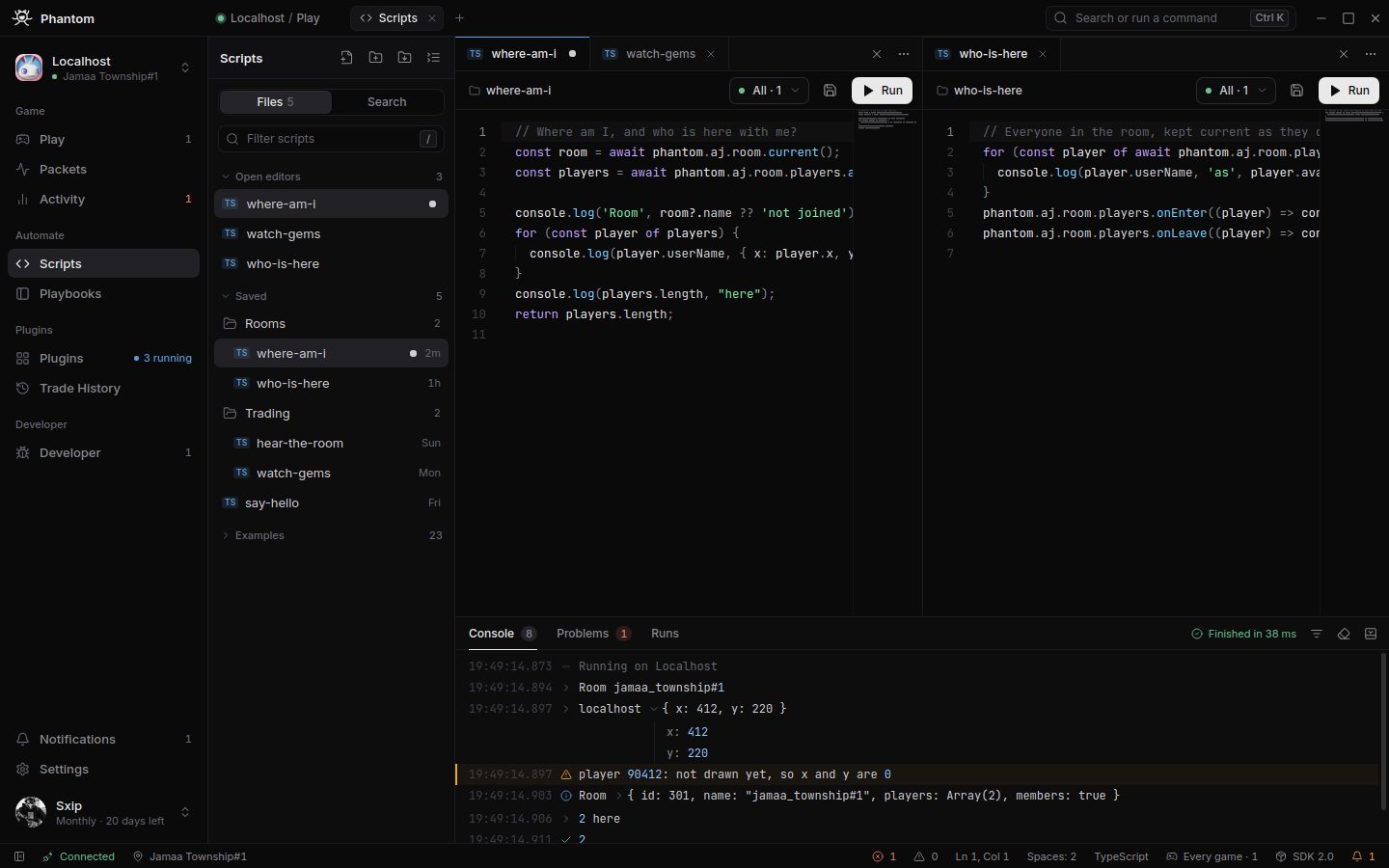
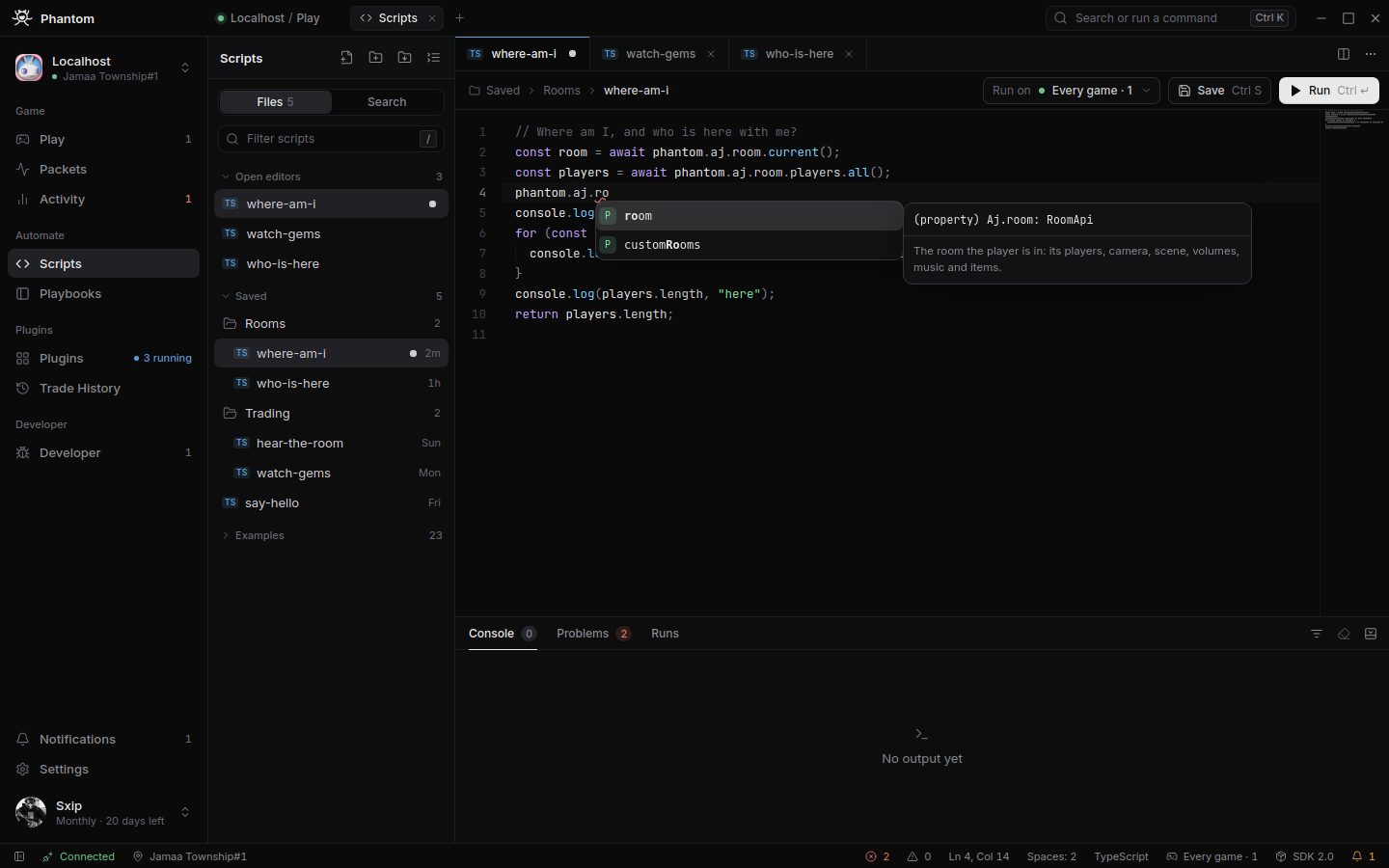
You get folders, tabs, and two scripts side by side if you're feeling fancy. It suggests things as you type, with the SDK's own docs right there, so you can stop guessing what a function's called. Ctrl click a name and it takes you to where it's defined. It'll rename things for you, and when you inevitably spell all as al1 it offers to fix it rather than just sitting there judging you.
There's find and replace across all your scripts, a history of every run with what it gave back, and you can pick which game a script runs on. Ctrl P jumps to a script, Ctrl Shift P does everything else. If you've used VS Code you'll feel right at home. If you haven't, you're about to learn some very useful shortcuts.
The Inspector, now with a screwdriver
The Inspector used to let you look. Now it lets you touch, which is either brilliant or a terrible idea depending on what you do with it.
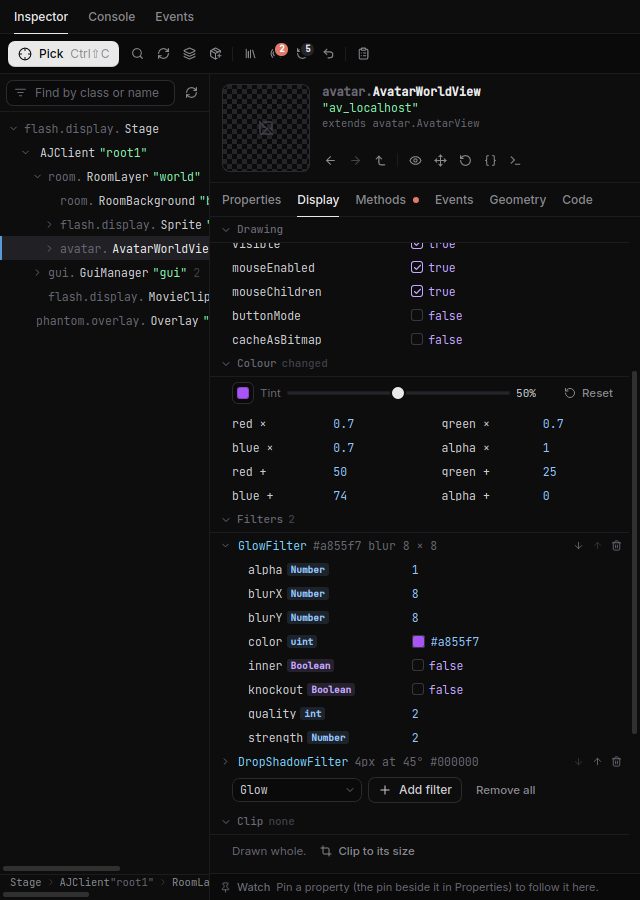
Open up any value, however far down it's buried, and change it while the game's running. Numbers drag, switches flip, colours get a proper picker. The new Display tab lets you tint things, slap a glow or a blur on them, or pause a movie clip mid frame and scrub through it like you're reviewing VAR footage. You can drag things round the stage, shove them into other containers, or just make them disappear.
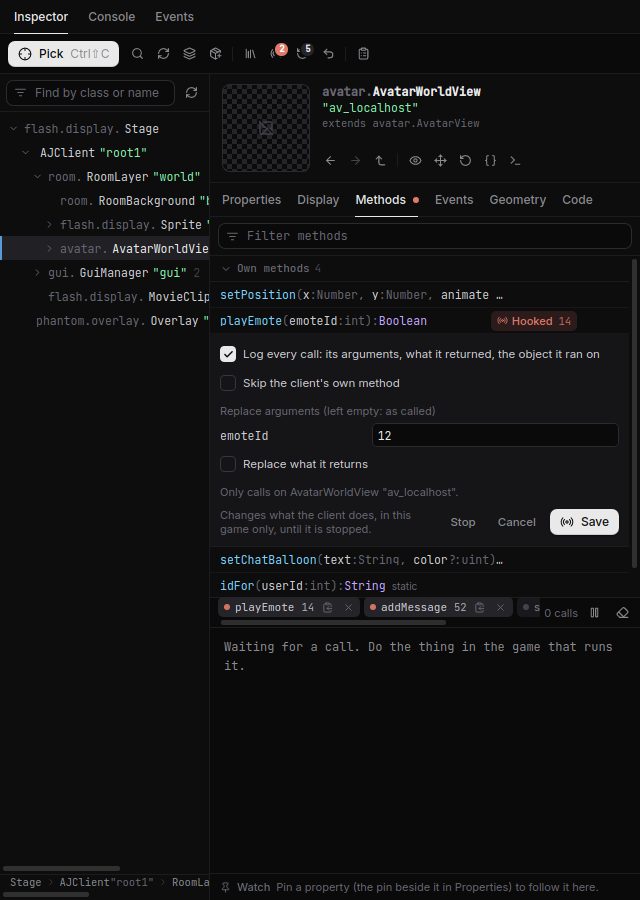
If you want to get properly stuck in, you can call the game's own methods, or hook them and watch every call go past. Change what goes in, change what comes out, or stop it running altogether. There's a browser for every class the game has loaded, and you can keep an eye on any value as it changes.
And before you panic: every change can be undone. Ctrl Z takes back the last one, and Reset puts something back exactly how the game had it. It all stays on your screen too. Nothing you fiddle with in the Inspector goes anywhere near Animal Jam's servers unless you call something that sends it.
Phantom HD
Turns out Animal Jam has been drawing itself a bit blurrier than it needs to, all these years. Phantom HD sorts that out. The game draws at its best quality and the animals get smoothed, so they stop looking like they've been cut out with safety scissors. There's a smooth camera as well, which glides after you round the room instead of lurching about. Both live in Settings under Graphics, and you can flick them on while you're playing.
Bits and bobs
Packets has had a makeover, and each game's tile now shows your animal instead of a letter. The accounts screen, the command palette and the light theme have all been redone, and pages finally use the whole window instead of huddling in the middle. Plugin pages show the plugin's README now. Linux folk can resize the window from its edges, which frankly should have worked from day one. And times after midnight say 00 instead of 24, because apparently I can't tell the time.
That's your lot. Go break something, then come and tell me about it in the Discord. Cheers.